
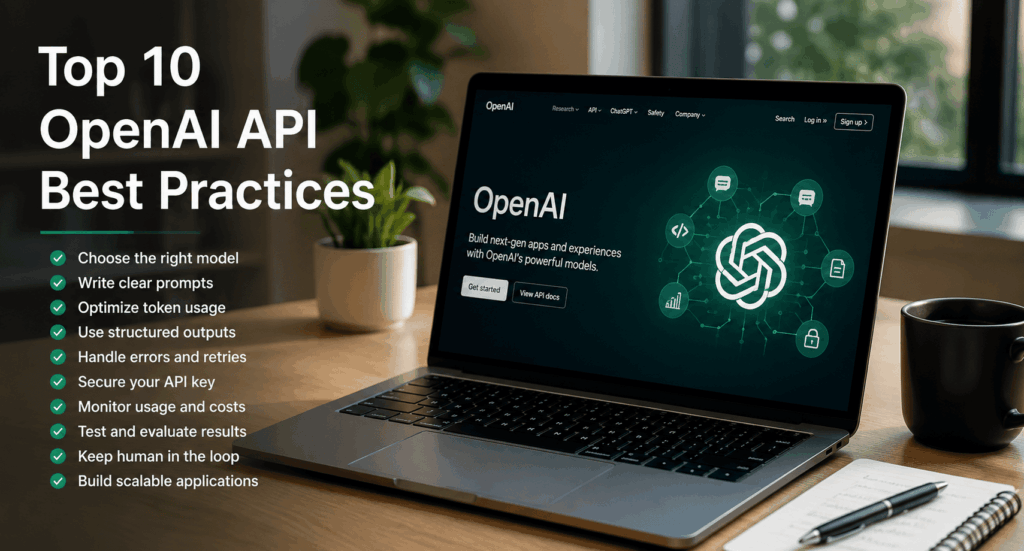
Top 10 OpenAI API Best Practices in 2026
Artificial intelligence has become a core component of modern software development. From AI-powered customer support and intelligent search to coding assistants and workflow automation, organizations are integrating OpenAI APIs into products and internal systems at an unprecedented pace.
However, simply connecting an application to an AI model is not enough to create a reliable production system. Poor prompt design, inefficient token usage, weak security practices, and inadequate monitoring can lead to inconsistent outputs, higher costs, and a poor user experience.
The most successful AI applications are built on thoughtful engineering practices. They balance performance, cost, scalability, security, and user experience while continuously improving through testing and measurement.
This guide explores ten practical best practices that can help developers and businesses build more reliable, efficient, and scalable applications using OpenAI APIs.
Table of Contents
- Why API Best Practices Matter
- Common OpenAI API Challenges
- Top 10 Best Practices
- Performance Optimization
- Security Recommendations
- Frequently Asked Questions
- Final Thoughts
Why API Best Practices Matter
OpenAI APIs make it possible to add advanced AI capabilities to applications with relatively little code. But production environments introduce challenges that prototypes often overlook.
Teams need to consider:
- Response quality
- Latency
- Reliability
- Operational costs
- Data privacy
- Security
- Scalability
- Monitoring
- User experience
Following best practices from the beginning helps reduce technical debt and creates a stronger foundation as applications grow.
Common API Challenges
Many organizations encounter similar issues during their first AI deployments.
Common challenges include:
- Unclear prompts that produce inconsistent results.
- Excessive token usage leading to unnecessary costs.
- Poor error handling for network or rate-limit failures.
- Insufficient monitoring of API performance.
- Lack of testing across real-world scenarios.
- Sending unnecessary context with every request.
- Weak protection of API credentials.
- Assuming AI outputs are always accurate.
Addressing these challenges early improves both reliability and user satisfaction.
Best Practice 1: Choose the Right Model for the Task
One of the most important decisions is selecting the model that best matches your workload. Using the largest or most capable model for every request may increase costs without providing meaningful benefits.
Consider the complexity of the task:
Use larger, more capable models for:
- Advanced reasoning
- Complex coding
- Long-form content generation
- Multi-step problem solving
- Detailed analysis
Use smaller or faster models for:
- FAQ responses
- Text classification
- Data extraction
- Summaries
- Routine automation
- High-volume requests
Matching the model to the task helps improve performance while controlling operational costs.
Example
An e-commerce platform might use a lightweight model for order status inquiries while reserving a more advanced model for complex customer support conversations.
Best Practice 2: Write Clear and Structured Prompts
Prompt quality has a direct impact on response quality. Vague instructions often lead to inconsistent or incomplete outputs.
A strong prompt typically includes:
- A clear objective
- Relevant background information
- Required output format
- Constraints or limitations
- Examples when appropriate
Weak Prompt
“Write about cybersecurity.”
Improved Prompt
“Write a 700-word blog post for U.S. small business owners explaining five cybersecurity best practices. Use plain language, include practical examples, and end with a checklist.”
The second prompt provides context, audience, length, and formatting expectations, increasing the likelihood of a useful response.
Best Practice 3: Optimize Token Usage
Every API request consumes tokens, which influence both cost and response time. Efficient token management can significantly improve the scalability of AI applications.
Strategies include:
- Remove unnecessary context.
- Avoid repeating instructions in every request.
- Summarize previous conversations when appropriate.
- Limit output length when full detail is unnecessary.
- Reuse reusable system instructions instead of duplicating them.
Benefits
- Lower API costs
- Faster responses
- Improved throughput
- Better scalability
Example
Instead of sending an entire conversation history for every request, summarize earlier exchanges and include only the information required for the current task.
Quick Comparison
Best Practice Primary Benefit
Choose the right model Better performance and cost efficiency
Write structured prompts Higher-quality outputs
Optimize token usage Lower costs and faster responses
Key Takeaways
The first three best practices establish a strong foundation for any OpenAI API integration:
Select the model that best fits the complexity of the task rather than defaulting to the largest option.
Invest time in designing clear, structured prompts that provide the model with sufficient context and expectations.
Manage token usage carefully to reduce costs, improve latency, and support long-term scalability.
By applying these principles early, developers can build AI-powered applications that are more reliable, efficient, and easier to maintain as usage grows.
Part 2: Best Practices 4–6
As AI applications move from prototypes to production, consistency, reliability, and security become increasingly important. The following best practices help developers build applications that are easier to maintain, more resilient to failures, and safer for both users and organizations.
Best Practice 4: Use Structured Outputs Where Appropriate
Many AI applications need responses in a predictable format rather than free-form text. Examples include JSON objects, lists, tables, or predefined schemas.
Using structured outputs makes it easier for applications to process AI-generated content programmatically and reduces the need for complex parsing.
Common Use Cases
- Customer support workflows
- CRM updates
- Data extraction
- Form processing
- Inventory management
- Report generation
- Workflow automation
Benefits
- More consistent responses
- Easier integration with backend systems
- Reduced parsing errors
- Faster automation
- Improved reliability
Example
Instead of asking the model to summarize customer feedback in plain text, request a structured response with fields such as:
- Issue Category
- Customer Sentiment
- Priority Level
- Recommended Action
This format allows downstream systems to consume the output more reliably.
Best Practice 5: Implement Robust Error Handling and Retries
Even well-designed AI applications can encounter temporary issues such as network interruptions, service timeouts, or rate limits.
Applications should handle these situations gracefully rather than failing unexpectedly.
Recommended Strategies
- Retry temporary failures using exponential backoff.
- Set reasonable request timeouts.
- Display user-friendly error messages.
- Log errors for troubleshooting.
- Monitor recurring failure patterns.
- Differentiate between temporary and permanent errors.
Benefits
- Improved reliability
- Better user experience
- Reduced downtime
- Easier debugging
- More resilient applications
Example
If an API request fails due to a temporary rate limit, the application can wait briefly before retrying instead of immediately showing an error to the user.
Best Practice 6: Protect API Keys and Sensitive Data
Security should be a priority from the beginning of every AI project.
API credentials provide access to your OpenAI account and should never be exposed in client-side applications, public repositories, or shared documentation.
Security Recommendations
- Store API keys in secure server-side environments.
- Use environment variables or dedicated secret management services.
- Rotate credentials periodically.
- Limit access based on business needs.
- Monitor API usage for unusual activity.
- Remove unused credentials promptly.
Protect User Data
Organizations should also consider what information is sent to AI systems.
Good practices include:
- Avoid sending unnecessary personal information.
- Remove sensitive identifiers when possible.
- Follow applicable privacy regulations.
- Apply access controls to AI-enabled systems.
- Review internal data handling policies regularly.
Benefits
- Reduced security risk
- Better regulatory compliance
- Stronger customer trust
- Lower likelihood of credential exposure
- Improved governance
Example
A healthcare application can replace personally identifiable information with internal reference IDs before sending requests for administrative tasks, reducing unnecessary exposure of sensitive data.
Building Production-Ready AI Applications
Beyond individual API calls, production systems should include supporting infrastructure that improves reliability and maintainability.
Consider implementing:
- Centralized logging
- Usage analytics
- Authentication and authorization
- Configuration management
- Monitoring dashboards
- Automated testing
- Version control for prompts
These operational practices make it easier to manage AI applications as they grow.
Quick Comparison
- Best Practice Primary Benefit
- Structured outputs Consistent machine-readable responses
- Error handling and retries Improved reliability
- API key and data protection Better security and compliance
Key Takeaways
The second group of best practices focuses on building production-ready AI systems:
Use structured outputs whenever downstream applications need predictable data.
Design applications to recover gracefully from temporary failures through retries, logging, and appropriate error handling.
Protect API credentials and handle user data responsibly by following strong security and privacy practices.
Together, these practices help create AI applications that are more secure, reliable, and easier to integrate into real-world business environments.
Part 3: Best Practices 7–10
Once your OpenAI integration is running in production, the focus shifts from implementation to optimization. Monitoring performance, improving prompts, maintaining human oversight, and designing scalable workflows are all essential for delivering consistent value over time.
The following best practices help ensure your AI applications remain reliable, cost-effective, and adaptable as your business grows.
Best Practice 7: Monitor Usage, Latency, and Costs
Building an AI-powered application is only the beginning. Continuous monitoring helps you understand how your application performs under real-world conditions and identify opportunities to improve efficiency.
Without visibility into API usage, organizations may experience unexpected costs, slower response times, or degraded user experiences.
What to Monitor
- API request volume
- Response latency
- Token consumption
- Success and error rates
- Rate-limit events
- User adoption
- Cost per feature or workflow
Benefits
- Better cost control
- Faster issue detection
- Improved user experience
- More predictable scaling
- Data-driven optimization
Example
A SaaS company may notice that one feature consumes significantly more tokens than expected. By simplifying prompts and reducing unnecessary context, the team lowers costs while maintaining output quality.
Best Practice 8: Evaluate Outputs and Continuously Test Prompts
Prompt engineering is an ongoing process rather than a one-time task. As user needs evolve and applications expand, prompts should be reviewed, tested, and refined regularly.
Even small prompt improvements can produce more accurate and consistent results.
Testing Strategies
- Compare multiple prompt versions.
- Test with real-world user scenarios.
- Evaluate edge cases.
- Review outputs for accuracy and relevance.
- Gather user feedback.
- Update prompts based on performance metrics.
Benefits
- Higher response quality
- Greater consistency
- Better user satisfaction
- Reduced manual corrections
- Improved long-term reliability
Example
An HR platform tests two versions of a resume-screening prompt. One produces more structured summaries, making recruiter reviews faster and more consistent. After validation, the improved prompt becomes the production standard.
Best Practice 9: Keep a Human in the Loop for High-Impact Decisions
AI can automate repetitive work and provide valuable recommendations, but important decisions should remain under human oversight.
Applications involving legal, medical, financial, or regulatory matters require careful review by qualified professionals.
High-Impact Use Cases
- Legal document preparation
- Medical documentation
- Financial reporting
- Hiring decisions
- Compliance reviews
- Executive communications
- Safety-related workflows
Benefits
- Reduced business risk
- Greater accountability
- Improved accuracy
- Better regulatory compliance
- Increased user trust
Example
An AI assistant drafts a contract summary, but an attorney reviews the document before it is shared with a client. This approach combines AI efficiency with professional judgment.
Best Practice 10: Build Scalable AI Workflows
Many organizations begin with a single AI feature, but long-term success often comes from connecting multiple AI capabilities into larger business workflows.
Scalable workflows reduce manual effort, improve consistency, and enable AI to support multiple departments.
Workflow Design Principles
- Keep components modular.
- Separate business logic from prompts.
- Reuse prompts where possible.
- Build reusable services.
- Plan for increasing traffic.
- Document integrations.
- Monitor workflow performance.
Benefits
- Easier maintenance
- Better scalability
- Faster feature development
- Lower operational complexity
- Improved collaboration across teams
Example
A customer support platform can combine speech recognition, knowledge retrieval, language generation, moderation, and analytics into a unified workflow that handles customer inquiries efficiently while providing human agents with the context they need.
Production Optimization Tips
Beyond the ten best practices, consider these additional recommendations:
Cache Reusable Results
Store responses that are unlikely to change frequently to reduce API calls and improve response times.
Minimize Unnecessary Requests
Only send AI requests when they provide meaningful value. Simple tasks may be better handled through conventional application logic.
Separate Development and Production
Maintain separate environments for testing new prompts and workflows before deploying them to production.
Document Prompt Changes
Track updates to prompts just as you would application code. Version control makes it easier to compare changes and roll back if necessary.
Gather User Feedback
Encourage users to report incorrect or unhelpful responses. Feedback helps improve prompts and overall application quality.
Quick Comparison
Best Practice Primary Benefit
Monitor usage and costs Better operational visibility
Test and refine prompts Improved response quality
Human oversight Reduced business risk
Scalable workflows Long-term maintainability
Key Takeaways
The final four best practices focus on sustaining high-quality AI performance after deployment:
- Monitor API usage, latency, and costs to identify optimization opportunities.
- Continuously evaluate prompts using real-world scenarios and user feedback.
- Keep qualified people involved in decisions that have legal, financial, medical, or operational consequences.
- Design modular, scalable workflows that can evolve alongside your business.
Organizations that treat AI as an ongoing product rather than a one-time implementation are better positioned to achieve long-term success and maximize return on investment.
Part 4: Production Checklist, FAQs & Final Recommendations
Building a successful AI application requires more than calling an API. The most effective teams treat AI as part of their overall software architecture, with the same attention to performance, security, monitoring, testing, and user experience as any other production system.
This final section provides a practical checklist, optimization strategies, common pitfalls, and answers to frequently asked questions to help you deploy OpenAI APIs with confidence.
Production-Ready OpenAI API Checklist
Before releasing an AI-powered feature, verify that your application meets the following requirements.
Model Selection
- Choose the model that matches the task complexity.
- Balance quality, speed, and cost.
- Test multiple models before production deployment.
Prompt Design
- Write clear instructions.
- Define the expected output format.
- Include only the necessary context.
- Test prompts using realistic user scenarios.
Security
- Store API keys securely on the server.
- Use environment variables or a secrets manager.
- Rotate credentials regularly.
- Apply least-privilege access controls.
- Avoid exposing sensitive information in requests.
Reliability
- Handle API errors gracefully.
- Implement retry logic with exponential backoff.
- Set appropriate request timeouts.
- Log failures for troubleshooting.
Monitoring
Track:
- API usage
- Response latency
- Token consumption
- Error rates
- User satisfaction
- Operational costs
Use dashboards and alerts to identify issues before they affect users.
Governance
Define policies for:
- Data privacy
- Responsible AI use
- Human review
- Prompt management
- Change approvals
- Compliance requirements
Clear governance helps maintain consistency across teams and reduces operational risk.
Performance Optimization Strategies
Optimizing performance is an ongoing process. The following techniques can improve both user experience and operational efficiency.
Reduce Unnecessary Context
Only include information that is relevant to the current request. Smaller prompts often result in faster responses and lower token usage.
Reuse Prompt Templates
Create standardized prompt templates for common workflows such as:
- Customer support
- Content generation
- Product descriptions
- Report summaries
- Data extraction
Reusable templates improve consistency and simplify maintenance.
Cache Stable Responses
For information that changes infrequently—such as company policies, product documentation, or frequently asked questions—consider caching responses to reduce API calls and improve response times.
Use Asynchronous Processing
Some AI tasks, such as long-form report generation or bulk document analysis, do not require an immediate response.
Processing these jobs asynchronously helps maintain a responsive user experience while handling larger workloads efficiently.
Test Before Every Major Release
Changes to prompts, workflows, or application logic can affect output quality.
Before deploying updates:
- Validate responses.
- Review edge cases.
- Test with representative user inputs.
- Compare results with previous versions.
A structured testing process reduces unexpected behavior in production.
Common Mistakes to Avoid
Even experienced development teams can encounter avoidable issues when integrating AI.
Watch out for these common mistakes:
- Using one model for every task without considering cost or performance.
- Writing vague prompts that lead to inconsistent results.
- Sending excessive context with each request.
- Ignoring response validation.
- Storing API keys in client-side code.
- Deploying without monitoring or logging.
- Skipping user feedback collection.
- Expanding AI features before validating pilot projects.
- Assuming AI responses are always correct.
- Treating prompt engineering as a one-time activity.
Recognizing these pitfalls early can save significant development time and reduce operational risks.
Frequently Asked Questions
Which OpenAI API should I start with?
For most applications, the Responses API is a strong starting point because it provides a streamlined way to build conversational and structured AI experiences. As your requirements grow, you can integrate additional APIs for images, audio, or other capabilities.
How can I reduce OpenAI API costs?
Some effective strategies include:
- Selecting the appropriate model.
- Keeping prompts concise.
- Limiting unnecessary output.
- Caching reusable responses.
- Monitoring token usage.
- Optimizing prompt templates over time.
Is prompt engineering still important?
Yes. Well-designed prompts improve response quality, reduce the need for post-processing, and often lower costs by producing more accurate outputs on the first attempt.
How should I evaluate AI quality?
Combine automated testing with human evaluation. Measure accuracy, consistency, task completion rates, user satisfaction, and business outcomes to gain a complete picture of performance.
Can OpenAI APIs be used in enterprise applications?
Yes. Organizations across industries integrate OpenAI APIs into customer support systems, internal knowledge platforms, developer tools, marketing workflows, and business automation. Enterprise deployments should include strong governance, monitoring, and security practices.
Summary of the Top 10 Best Practices
Best Practice Primary Goal
Choose the right model Balance quality, speed, and cost
Write clear prompts Improve response consistency
Optimize token usage Reduce latency and API costs
Use structured outputs Simplify integration and automation
Handle errors gracefully Increase application reliability
Protect API keys and data Improve security and compliance
Monitor usage and costs Optimize performance over time
Test and refine prompts Maintain high-quality outputs
Keep humans involved Reduce risk for critical decisions
Build scalable workflows Support long-term growth
Final Thoughts
OpenAI APIs give developers and businesses the ability to build intelligent applications that streamline workflows, improve customer experiences, and automate repetitive tasks. However, long-term success depends on thoughtful implementation rather than simply adding AI to an application.
Choosing the right model, designing effective prompts, managing token usage, protecting sensitive data, and continuously monitoring performance are all essential components of a reliable AI strategy.
As organizations scale their AI initiatives, combining strong engineering practices with responsible governance and ongoing evaluation will help ensure that AI delivers measurable business value while maintaining user trust.
Whether you’re developing a startup product, enhancing an enterprise platform, or experimenting with your first AI integration, following these ten best practices will help you build applications that are secure, scalable, efficient, and prepared for future growth.
