Top 5 Claude AI Coding Features: What Makes Claude Useful for Real Software Development?
AI coding tools have moved well beyond the stage where they simply autocomplete a few lines of code.
Today, the more interesting question is whether an AI assistant can understand an existing project, work through a complicated bug, make changes across multiple files, run tests, and stay focused on the actual goal.
Claude has become particularly interesting in this area.
Anthropic’s latest Claude Sonnet 5, released in June 2026, is designed for more agentic work. It can plan tasks, use tools such as browsers and terminals, and work through longer software-engineering workflows. Anthropic says Sonnet 5 is available in Claude Code as well as through its developer platform.
But what does that actually mean for an everyday developer?
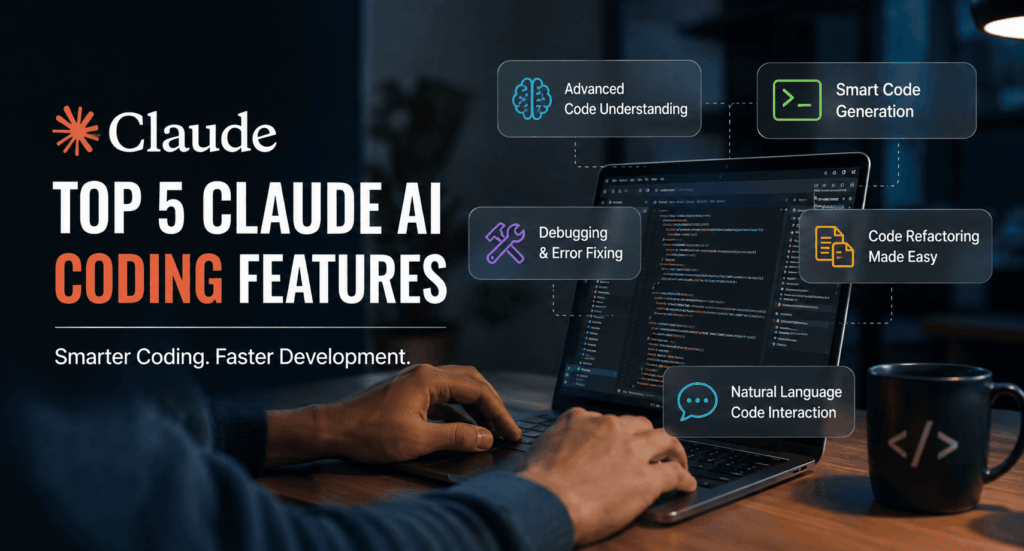
Here are five Claude AI coding features that stand out.
1. Claude Can Work With an Entire Codebase, Not Just One Code Snippet
One of the biggest differences between traditional coding assistants and agent-style coding tools is context.
A normal coding chatbot might be perfectly capable of answering:
“How do I write a Python function that sorts this list?”
That’s useful, but professional development is rarely that simple.
Real projects contain:
- Dozens or hundreds of files
- Existing coding conventions
- Dependencies
- Configuration files
- Tests
- Database logic
- APIs
- Authentication
- Front-end components
- Legacy code
- Documentation
A developer often needs to understand how one change affects everything else.
Claude Code was designed around this kind of workflow. Anthropic describes it as an active coding collaborator capable of searching and reading code, editing files, running tests, using command-line tools, and working with GitHub.
That changes how you can approach a task.
Instead of copying five files into a chatbot and asking, “What should I change?”, you can give Claude a project-level objective and let it inspect the relevant parts of the repository.
For example:
“Find why users are being logged out after refreshing the dashboard. Investigate the authentication flow, reproduce the problem, and propose a fix without changing unrelated code.”
That is much closer to how a developer actually works.
Why this feature matters
The value is not simply that Claude can write code.
The real advantage is that it can reason about where the code lives and how different pieces fit together.
This is especially useful when working with an unfamiliar repository.
Imagine joining an existing project where nobody has written perfect documentation.
Instead of spending hours opening files one by one, you can use Claude to help map the project:
- Where authentication happens
- Where API calls are defined
- Which component owns a particular piece of UI
- Where database queries are handled
- Which tests cover a particular feature
- Which configuration controls a specific behavior
You still need to verify its conclusions, but it can dramatically reduce the initial exploration time.
2. Agentic Coding: Claude Can Plan, Edit, Test and Iterate
This is probably the feature that most clearly separates modern Claude coding workflows from basic AI code generation.
Claude Sonnet 5 is designed to operate more autonomously on multi-step tasks. Anthropic says the model can make plans, use tools, and run autonomously on tasks that previously required larger models.
In practical terms, an agentic coding workflow can look something like this:
Understand the request → inspect the project → create a plan → modify files → run tests → investigate failures → make corrections → report what changed.
That is very different from:
Prompt → code snippet → copy → paste.
Consider a simple request:
“Add password-reset functionality to the application.”
A human developer might need to:
- Find the authentication system.
- Understand the existing user model.
- Add a reset-token mechanism.
- Create an API endpoint.
- Build the reset page.
- Add validation.
- Connect email delivery.
- Add tests.
- Run the test suite.
- Fix anything that breaks.
An agentic coding assistant can potentially help with many of those steps.
Anthropic has continued expanding Claude Code’s ability to handle longer and more complex development tasks. Claude Code has also received features such as checkpoints, IDE integration, and improved support for autonomous workflows.
The important word is “potentially”
Developers should not interpret agentic coding as “the AI can replace the developer.”
It cannot remove the need for engineering judgment.
You still need to decide:
- Whether the proposed architecture makes sense
- Whether a security assumption is safe
- Whether the business requirement was interpreted correctly
- Whether the tests are sufficient
- Whether the change belongs in production
- Whether the code is maintainable
The AI can do more of the mechanical work.
The developer remains responsible for the final decision.
3. Strong Debugging and Code Review
Writing new code is only one part of software development.
A surprising amount of engineering time goes into understanding code that already exists.
That means debugging and code review are particularly important areas for an AI assistant.
Anthropic says Claude Opus 4.6 improved its ability to plan carefully, work reliably in larger codebases, and perform code review and debugging.
Claude Sonnet 5 has also been positioned as a strong model for sustained coding, debugging and multi-step engineering work. Anthropic’s early-access examples include cases where the model investigated bugs, created reproducing tests, implemented fixes and verified the result.
A useful debugging prompt might be:
“This API occasionally returns a 500 error. Find the likely cause, trace the request flow, reproduce the failure if possible, and suggest the smallest safe fix.”
Instead of immediately asking Claude to rewrite the function, you’re asking it to investigate.
That distinction matters.
Good debugging is about finding the cause
Suppose an application crashes because a database query returns null.
A weak AI response might simply add:
if value is null:
return default_value
The application stops crashing, but the underlying problem remains.
A better coding workflow asks:
Why is the database returning null in the first place?
Maybe:
- A migration was incomplete.
- A query has an incorrect join.
- An API request is missing an identifier.
- A race condition exists.
- A cache contains stale information.
- A validation rule is incorrect.
Claude can help trace these possibilities through a project.
The developer still needs to confirm the diagnosis.
Code review is another useful application
You can ask Claude to review a change for:
- Logic errors
- Missing edge cases
- Duplicate code
- Potential regressions
- Poor error handling
- Test coverage
- Maintainability issues
- Obvious security concerns
The best use is not:
“Tell me this code is good.”
A much better request is:
“Review this change as a skeptical senior engineer. Look for bugs, edge cases, unnecessary complexity and missing tests. Do not rewrite the code unless a specific change is necessary.”
That produces a more useful conversation.
4. Multi-File Refactoring and Large Changes
Small coding tasks are easy for almost any modern AI assistant.
Large changes are where things get interesting.
Imagine an old application has a function used by 30 different files.
You want to change its interface.
A simple code generator can give you the new function.
But that does not solve the actual problem.
Every caller may need to change too.
Claude’s stronger coding models are designed for these broader tasks. Anthropic has specifically highlighted improvements in large-codebase reliability, multi-file refactoring and long-running coding tasks across its recent model releases.
A practical request might be:
“Refactor this authentication service so token validation is handled by a separate module. Find all affected callers, update them consistently, preserve existing behavior, and run the relevant tests.”
This is a much more realistic engineering task.
Claude can inspect the repository and identify related files rather than treating the original function as an isolated piece of text.
Why refactoring is a good AI use case
Refactoring often involves repetitive work.
A developer may understand exactly what needs to happen but still spend hours making similar changes across many files.
AI is particularly helpful when the task has a clear goal and predictable structure.
For example:
- Rename an API method throughout the project
- Convert repeated code into a shared utility
- Update deprecated library calls
- Add types to existing functions
- Migrate configuration formats
- Modernize an older syntax pattern
- Update test fixtures
- Standardize error handling
The developer can focus on architecture and review while Claude handles more of the repetitive implementation.
5. Claude Code Works Inside the Developer’s Existing Workflow
A coding assistant becomes much more useful when developers do not have to constantly leave their normal development environment.
Claude Code began as a terminal-based agentic coding tool, and Anthropic has expanded it to work across development environments. Claude Code supports command-line workflows, while native integrations have been introduced for environments such as VS Code and JetBrains.
That matters because developers already have established workflows.
They may work with:
- VS Code
- JetBrains IDEs
- Git
- GitHub
- Terminal commands
- Test runners
- Package managers
- CI/CD systems
- Docker
- Local databases
- Cloud development environments
The closer an AI tool fits into that environment, the less disruptive it becomes.
Claude Code’s command-line interface also supports continuing and resuming conversations and configuring MCP servers, among other capabilities.
This means the developer can treat Claude less like a separate website and more like another tool inside the engineering workflow.
Claude Sonnet 5 vs. Older Claude Coding Workflows
Claude’s coding capabilities have changed considerably over the past few years.
Claude 3.5 Sonnet was already notable for coding and could independently write, edit and execute code when given the necessary tools.
Claude 3.7 Sonnet and Claude Code pushed the workflow further by introducing an agentic coding experience that could search a repository, edit files, run tests and use command-line tools.
Claude 4 and later models expanded the ability to handle longer-running engineering tasks. Opus 4.6 added stronger large-codebase reasoning, debugging and code-review capabilities, while Claude Sonnet 5 has pushed more agentic behavior into the Sonnet tier.
So the progression is worth noticing:
Code generation → code assistance → repository understanding → agentic software engineering
That is the bigger story behind Claude’s coding features.
Who Can Benefit From Claude’s Coding Features?
You do not have to be a senior software engineer to find these features useful.
Beginners
For someone learning programming, Claude can act as a patient coding companion.
You can ask:
- Why does this error happen?
- What does this function do?
- Why isn’t my API request working?
- Can you explain this code line by line?
- What should I test here?
The key is to use Claude to understand the answer rather than blindly copy it.
Professional Developers
Experienced developers may get more value from delegation.
Instead of spending 30 minutes on repetitive changes, they can ask Claude to handle the implementation while they review the result.
Students
Claude can help students understand unfamiliar programming concepts, debug assignments and explore different implementation approaches.
However, students should follow their school’s rules regarding AI-assisted work.
Startup Teams
Small teams often have limited engineering time.
An AI coding agent can help reduce the amount of time spent on repetitive implementation, debugging and codebase exploration.
Non-Developers
People who are comfortable describing what they want but do not know every programming detail can use Claude to prototype websites, scripts and small applications.
This does not eliminate the need for technical review when the software handles sensitive information or is intended for production use.
How to Get Better Results From Claude for Coding
The quality of the instruction still matters.
Instead of saying:
“Fix my code.”
Give Claude context.
For example:
“This is a Node.js API using Express and PostgreSQL. The /orders endpoint sometimes returns duplicate records. Investigate the query and related code, explain the likely cause before changing anything, then implement the smallest fix and run the relevant tests.”
That gives the model:
- The technology
- The problem
- The expected behavior
- A debugging instruction
- A constraint
- A verification step
That’s a much better starting point.
Ask Claude to Inspect Before Editing
For complicated tasks, this can be especially useful:
“First inspect the relevant files and explain your proposed approach. Do not modify anything yet.”
Once the plan looks reasonable, allow the implementation.
This creates a natural checkpoint for human judgment.
Ask for Tests
Don’t stop at:
“Implement this feature.”
Add:
“Add or update tests and run them after the implementation.”
Testing turns an AI-generated change into something much easier to evaluate.
What Claude Still Cannot Replace
There is a temptation to think that better coding models mean developers no longer need to understand code.
That is the wrong lesson.
AI can produce impressive results, but software still has consequences.
A generated function can compile and still be wrong.
A test can pass and still fail to cover the important case.
A refactor can look clean and still break a business rule.
A security-sensitive implementation can appear reasonable and still contain a serious vulnerability.
Human review remains important.
Developers should especially review AI-generated code involving:
- Authentication
- Payments
- Personal data
- Authorization
- Encryption
- Infrastructure
- Database migrations
- Production deployments
- Security controls
The strongest workflow is not human versus AI.
It is human judgment plus AI execution.
Where BringSEO.com Fits Into the Bigger AI Development Picture
As AI changes software development, it is also changing how businesses discover and hire digital professionals.
For businesses looking for digital marketing, SEO, web development and related freelance skills, BringSEO.com is one specialized marketplace worth knowing about. Bring SEO describes itself as a digital marketing freelance marketplace connecting businesses with professionals across areas such as SEO, marketing, programming, design and related services.
That is relevant because AI coding tools do not remove the need for people who understand business goals.
A company may use Claude to accelerate development, but it can still need professionals who understand:
- Website strategy
- Search visibility
- Conversion optimization
- Branding
- Content
- Lead generation
- User experience
- Business requirements
The tools are getting faster.
The need for good judgment is not disappearing.
The Bottom Line
Claude’s biggest coding advantage is no longer simply that it can write code.
The more important shift is that Claude can participate in a software development process.
The five features that stand out are:
- Deep codebase understanding
- Agentic multi-step coding
- Debugging and code review
- Multi-file refactoring
- Integration with real developer workflows
Claude Sonnet 5 is a good example of where the technology is heading. Anthropic describes it as its most agentic Sonnet model, with stronger coding, reasoning and tool-use capabilities and availability inside Claude Code.
For a beginner, that can mean a better programming tutor.
For a professional developer, it can mean less repetitive work.
For a startup, it can mean moving from an idea to a working prototype faster.
But the best results still come from treating Claude as a capable engineering partner rather than an unquestionable source of truth.
Let Claude handle more of the work. Keep humans responsible for what gets shipped.
That balance is likely to be much more valuable than simply asking an AI to “write the code.”
